

Prerequisites
- Dune Enterprise account with Data Transformations enabled
- Dune API key (generate one here)
- Team name on Dune (defines your namespace)
- dbt installed locally (we recommend using
uvfor dependency management)
1. Use the Template Repository
We provide a complete dbt project template to get started quickly: GitHub Template: github.com/duneanalytics/dune-dbt-template The template includes:- Pre-configured dbt profiles for dev and prod environments
- Sample models demonstrating all model types
- GitHub Actions workflows for CI/CD
- Cursor AI rules for dbt best practices on Dune
- Example project structure following dbt conventions
2. Configure Environment Variables
Set these required environment variables:3. Configure dbt Profile
Yourprofiles.yml should look like this:
The
transformations: true session property is required. This tells Dune that you’re running data transformation operations that need write access.4. Test Your Connection
Project Structure
The template repository follows standard dbt conventions:Schema Organization
Schemas are automatically organized based on your dbt target:| Target | DEV_SCHEMA_SUFFIX | Schema Name | Use Case |
|---|---|---|---|
dev | Not set | {team}__tmp_ | Local development (default) |
dev | Set to alice | {team}__tmp_alice | Personal dev space |
dev | Set to pr123 | {team}__tmp_pr123 | CI/CD per PR |
prod | (any) | {team} | Production tables |
get_custom_schema.sql macro in the template.
How It Works
Namespace Isolation
All tables and views you create are organized into your team’s namespace:- Production schema:
{your_team}- For production tables - Development schemas:
{your_team}__tmp_*- For development and testing
Write Operations
Execute SQL statements to create and manage your data:- Create tables and views in your namespace
- Insert, update, or merge data using standard SQL
- Drop tables when no longer needed
- Optimize and vacuum tables for optimal performance when querying these tables
Data Access
What You Can Read:- All public Dune datasets: Full access to blockchain data across all supported chains
- Your uploaded data: Private datasets you’ve uploaded to Dune
- Your transformation outputs: Tables and views created in your namespace
- Materialized views: Views that are materialized as tables in your namespace via the APP
- Your team namespace:
{team_name}for production tables - Development namespaces:
{team_name}__tmp_*for dev and testing - Private by default: All created tables are private unless explicitly made public
- Write operations are restricted to your team’s namespaces only
- Cannot write to public schemas or other teams’ namespaces
- Schema naming rules enforced: no
__tmp_in team handles
Querying dbt Models on Dune
Pattern:dune.{schema}.{table}
dune. when using queries in the Dune app.
Where Your Data Appears
Tables and views created through dbt appear in the Data Explorer under: My Data → Connectors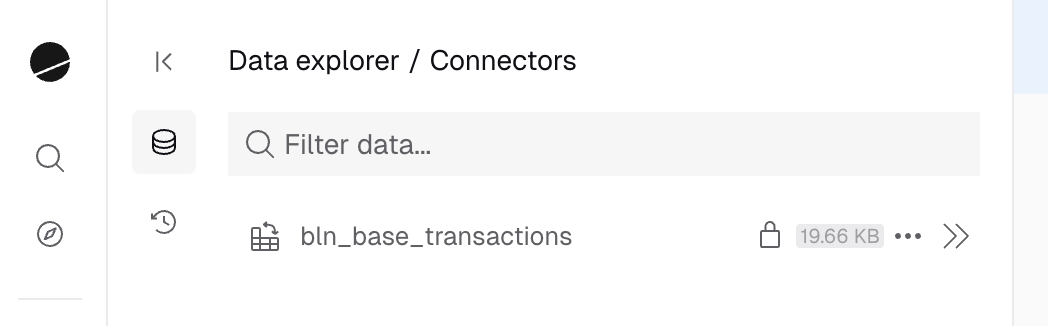
- Browse your transformation datasets
- View table schemas and metadata
- Delete datasets directly from the UI
- Search and reference them in queries