

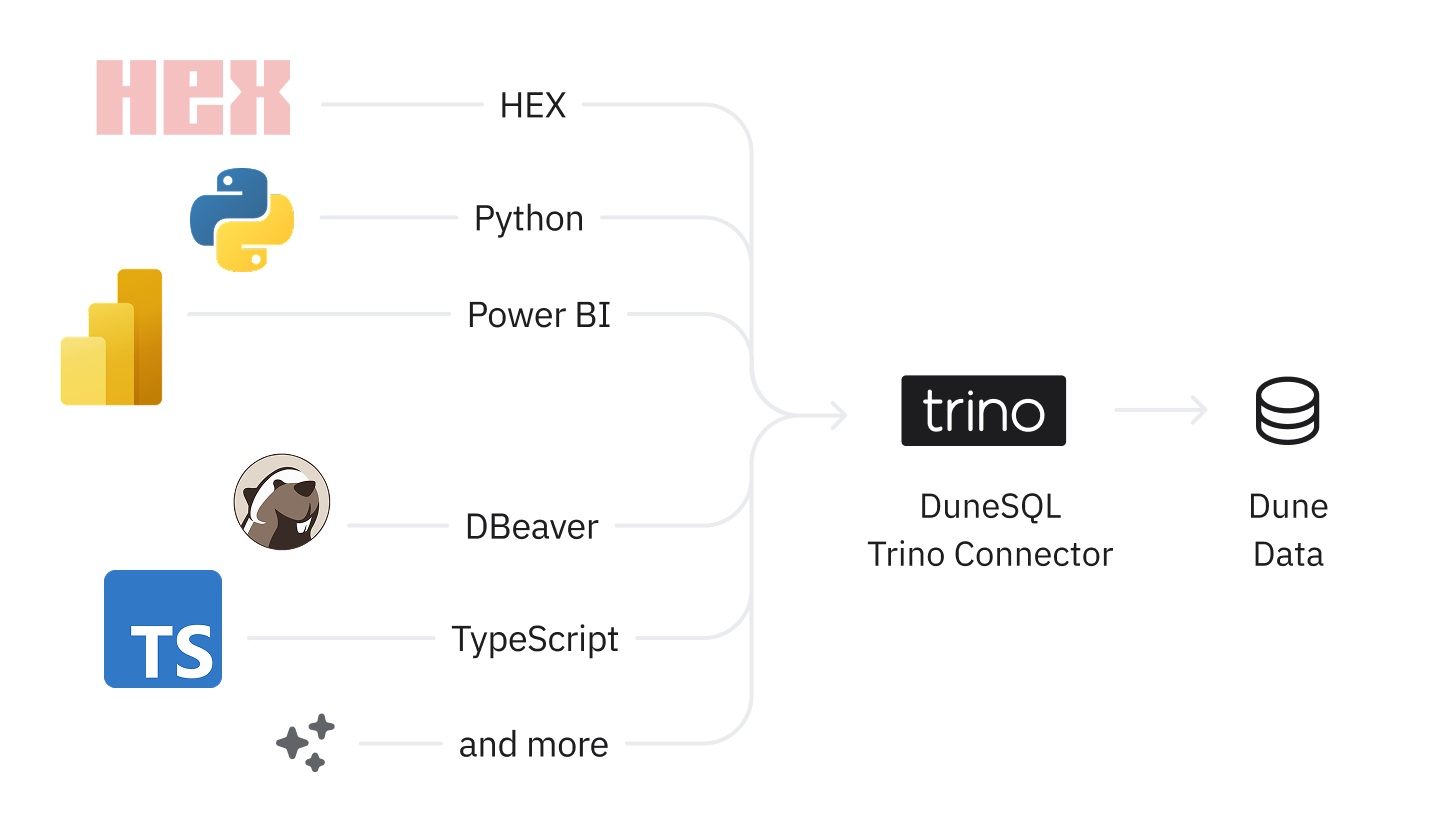
Trino/Presto client → Dune connector → Dune Query Engine
Compatible Tools
Dune’s Trino connector supports any tool that works with Trino, Presto, or Starburst connectors. Popular Dune integrations include:Hex
Connect Dune to Hex’s notebook-native analytics via built-in Trino connector.
Metabase
Integrate Dune with Metabase using the Starburst/Trino driver for BI dashboards.
DBeaver
Connect Dune to DBeaver using the Trino driver for direct SQL access to blockchain data.
Trino SDKs
Treat Dune like a Database in your language of choice with popular Trino libraries.
Any of the supported client applications listed in the Trino ecosystem are supported. Please visit their documentation to learn about their specific connection instructions, though the configuration should generally follow the same pattern using the connection parameters below.
Connection Parameters
Use these values in your Trino, Presto, or Starburst client configuration:| Parameter | Value | Description |
|---|---|---|
| Host | trino.api.dune.com | Dune’s Trino/Presto endpoint |
| Port | 443 | Standard HTTPS port |
| Username | dune | Fixed username for all connections |
| Password | <your-dune-api-key> | Your Dune API key |
| Catalog | delta_prod | Main data catalog |
| SSL/TLS | true | Always use encrypted connections |
| HTTP scheme | https | Required for secure connections |
If you need an API key, see our guide on Authentication. Remember to keep your API keys secret and rotate them immediately if they are ever exposed.
Supported SQL Operations
Queries executed via the connector align with what you can run on the Dune platform. See the Query Engine overview for more information on supported functions and syntax.Rate Limits
Rate limits for the connector mirror those of the Dune Analytics API. Please refer to the Rate Limits documentation for details.Billing & Cost
All queries run via the connector are executed on the Large Query Engine. Credits are consumed based on actual compute resources used. In addition, fetching results consumes credits proportional to the number of datapoints returned. For a full breakdown, please see our documentation on Billing.Limitations
The connector currently has limited support for metadata discovery queries such asSHOW TABLES or SHOW SCHEMAS. This may impact the data source browsing and autocomplete experience within some BI tools.
For schema and table discovery, see the Data Explorer guide. If you encounter timeouts with large result sets, consider paginating your queries using LIMIT and OFFSET, narrowing your filters, or splitting complex queries into smaller, more manageable parts.